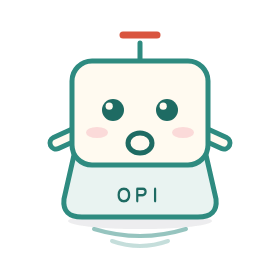
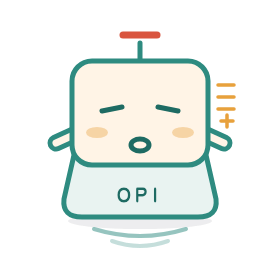
Opi is the project pet of opi and a keycap sprite. It looks like a single key on a keyboard — because an input method should be nothing more than that.
Its body is a keycap, its mouth the letter O (Open), its antenna the pinyin tone mark ˉ, its side legend opi. The ripples below spread only on this machine. None of this is decoration: it is how the project thinks about input.
Open: open engine, open dictionaries, transparent and auditable.
People: designed for everyone; input is never used for anything else.
Input: back to the essence — just get the characters right.
No cloud sync, accounts, ads or telemetry.
Born from frustration, built with passion.— the opi origin story
No pop-ups, no accounts, no "you may also like". One clear input path and a deliberately small toolkit. Cloud sync is decided against; the README records the boundaries.
One engine, six native clients
A Rust core with native shells: Android IME, fcitx5, Windows TSF, macOS / iOS keyboard extensions and HarmonyOS N-API. The same dictionaries and keycodes; each UI is its own.
RustC ABIAndroidWindowsLinuxmacOSiOSHarmonyOS
Android (emulator) and Linux (container / local) have runtime verification. The other four have buildable artifacts but no real-device acceptance.
Offline first, privacy you can check
Input, candidates and user words stay on the device. No login, cloud sync or telemetry; the only network access fetches version.json and carries no input data.
0 cloudNo accountNo telemetryUpdate check only
Chinese input, one pipeline
Pinyin / Simplified–Traditional / Shuangpin / Wubi / stroke, with 26 / 9 / 14-key layouts; fuzzy pinyin, jianpin, per-character confirmation and local learning switch inside the IME. Traditional support varies by client.
PinyinShuangpinWubiStroke9 / 14 / 26 keys
A living dictionary
The main Simplified and Traditional dictionaries are separate tracks; Kangxi, modern Traditional phrases and common vocabulary keep merging in. Dictionary changes have gates and regression tests.
Twelve animated Opi stickers, 689 OpenMoji expressions and 390 kaomoji. Opi stickers carry an Opi label and never collide with emoji names.
12 forms689 emoji390 kaomoji
A restrained desktop experience
The Linux / Windows status bar appears only while OPI is active; Windows upgrades in place without signing out; Android / HarmonyOS gears open an in-keyboard settings page; every client can check for updates.
Status barIn-place upgradeIn-keyboard settingsSkins / candidatesUpdate check
Seven installers, direct download
Android / Windows / Linux / macOS / iOS / HarmonyOS files live on this site under download/, not behind GitHub. Code is MIT; the main Simplified dictionary is GPL-3.0.
7 filesMIT codeunsigned builds need your signature
03 / TIMELINE
From one keycap to six platforms.
Not a straight line: engine, dictionaries, platform shells and the expression system grew together. These are a few moments worth keeping.
2026.08
Engine begins
Rust core, pinyin parsing and the dictionary pipeline take shape; the Android native IME completes its first input path.
2026.09
Desktop lands
fcitx5 plugin, Compose candidate window and settings, Windows TSF skeleton; Linux becomes the first desktop target with runtime verification.
2026.10.17–18
Opi is born
Twelve forms, OpenMoji, kaomoji, Opi stickers and English normal / pro modes; the input method takes the name Opi.
2026.10.19–20
More clients
iOS host app and unsigned IPA, HarmonyOS HAP, Windows registration fixes, unified status-bar scaling; website and v1.16.0.
2026.10.21
Candidates and installers
iOS 9-key read-out / tiled candidates / in-IME switching; Windows TSF upgrade replacement and uninstall without reboot; Apple moves to one self-contained package.
2026.10.22
In-place upgrades and in-keyboard settings
Windows interactive upgrades restart the user shell; function and special keys pass through; IME switch releases the status bar; Android / HarmonyOS gear opens an in-keyboard settings page.
04 / TWELVE FORMS
Twelve Opis, twelve moods.
It lives beyond the settings page: candidate bar, empty states, launcher icon, status bar. Click any card to see its mood.
All twelve forms are original opi assets, not built-in emoji. The IME inserts them as animated GIF / PNG stickers with an Opi label; hosts that reject images fall back to a text label.
05 / RELEASES
Every commit, on the record.
Versions use vMAJOR.MINOR.PATCH; the current release is v1.23.0. The newest note sits on top; this compact history links to GitHub. The full annotated log remains on the Chinese site.
Older notes: GitHub releases · full scrollable history on the Chinese site.
06 / DOWNLOAD
Bring Opi to your keyboard.
Windows 10 / 11 x64. Apple and HarmonyOS artifacts are unsigned and need your own signing.
VERIFICATION SCOPE
Only Android (emulator) and Linux (container / local) have runtime verification. Windows / iOS / macOS / HarmonyOS builds exist, but none has real-device acceptance; signing is unverified.
Files live in this site's download/ directory; no GitHub redirect. Install guides are in docs/install and the release notes.
After installing: add OPI to the fcitx5 input method group on Linux; add Opi to Windows' Chinese (Simplified) keyboard list (interactive upgrades refresh the desktop automatically, no sign-out); enable the keyboard in iOS Settings → General → Keyboard and allow Full Access; add the input source on macOS.
File versions and names match dist/; page version v1.23.0.